
Computer self-help
Before you call your IT guy (or Staples), look online for a solution. For the paying folks, how to use emojis with a standard laptop keyboard.

With no help from my IT department, yours truly fixed my File Explorer from crashing every time I clicked on a document.
Why that matters
Self-sufficiency is the lifeblood of working from home. And if you need a “guy” every time something doesn’t work right, it can be a painful existence.
Just like DIY
My brother-in-law is very handy around the house. Or that’s what I thought until he let me in on his little secret: he finds a YouTube video for whatever problem he encounters. That same logic works for computers.
Usually.
The crashing File Explorer
A search revealed a few easy-to-employ solutions from the command prompt:
sfc /scannow
DISM.exe /Online /Cleanup-image /Scanhealth
DISM.exe /Online /Cleanup-image /Restorehealth
After a reboot, all was well again. NOTE: Run the command prompt as the administrator and not your user profile.
Conclusion
You know more than you think you know about computers. It really becomes about reading carefully and following directions.
Final word
Calling your IT person will shut you down for as much as half a day or more. So, you really want to be sure you’ve exhausted everything you can do on your end before you punt!
First on the WFH Christmas list
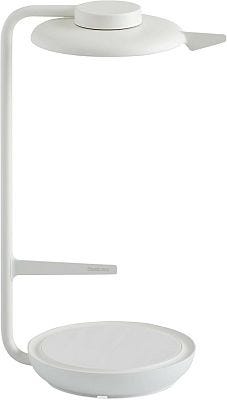
Steelcase Eclipse Light - Desk Light for Virtual Meetings - Study - Built-in Dimmer - Versatile Positioning - Video & Task - Pearl Snow
